
When business owners talk about setting up Microsoft 365, they don’t always mean the same thing.
“I need to move our business email to Microsoft 365 and give everyone a company Outlook account.”
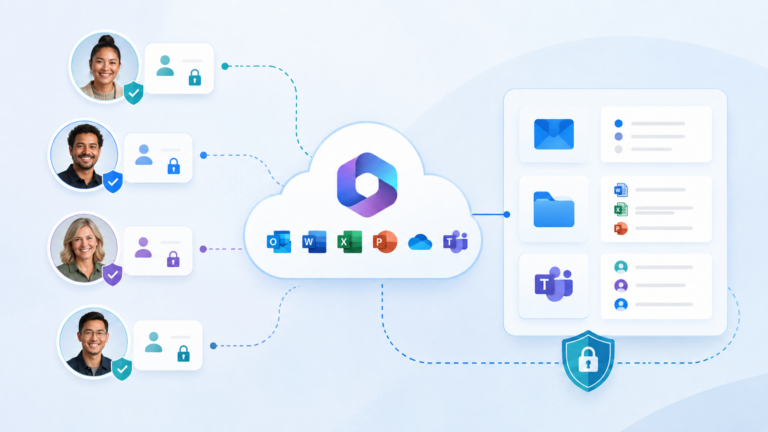
“I want each person to have their own sign-in instead of sharing passwords and email accounts.”
“Our files are scattered across computers, thumb drives and shared folders. I need them organised in a central hub.”
All of these may be part of setting up Microsoft 365, but they are usually only the starting point. Even while addressing an immediate need, a small business should consider the wider system the solution is built on. This includes determining who controls the system, deciding how accounts and company information will be protected, and planning how access will be managed as staff join or leave.
This article explains how to meet your business’s immediate Microsoft 365 needs while planning how its people, information and access will be managed as it grows—without any unnecessary technical jargon.
What does my business need Microsoft 365 to do?
Immediate issues may trigger a Microsoft 365 project, but the solution should support both what your users need now and where your business is heading.
Owners and managers should be clear about what they want Microsoft 365 to improve, such as better control, security, collaboration or clearer staff responsibilities. At the same time, the people using Outlook, OneDrive, Teams and shared files each day should be consulted about how they currently work and where problems or delays occur. Bringing these perspectives together helps avoid a system that meets management’s expectations on paper but creates unnecessary difficulty for staff in practice.
Well-defined Microsoft 365 requirements are the foundation of a successful implementation, connecting today’s priorities, tomorrow’s direction and the everyday needs of the people who will use the system most.
How should our Microsoft 365 system be organised and protected?
A professional Microsoft 365 setup should reflect how the business actually works, with consistent user accounts, clear ownership and properly organised shared email, files and workspaces—not a loose collection of applications, folders and logins.
Each person should have their own sign-in, while shared mailboxes, Teams and file areas need to support management, accounts and the work of serving customers. Even with outside IT support, the business should retain control of the domain used in its email addresses (such as @mycompany.co.nz) and maintain administrator access to Microsoft 365 so it can decide who may access company information. Best practices such as multifactor authentication, sensible file-sharing controls and regular reviews of users and licences help keep the system secure and manageable.
The result should be a system the owner can control, staff can understand and the business can manage with confidence.
How should Microsoft 365 be adopted and managed as the business changes?
The value of Microsoft 365 depends on how well it is adopted by staff and how thoughtfully it is refined and strengthened over time.
Adoption is easier when Microsoft 365 supports familiar daily work: company email and calendars in Outlook, messages and meetings in Teams, and a clear SharePoint home for important documents and shared files. Well-trained staff champions can help colleagues follow the agreed approach, answer everyday questions and identify where people need more guidance. Business owners and leaders should model the same way of working, while the IT provider helps turn staff feedback and changing business needs into practical improvements.
The aim is for Microsoft 365 to become the business’s normal, trusted system for communicating, finding information and working together.
Set Up for Today, Ready for What Comes Next
Urgent organisation problems may need immediate Microsoft 365 solutions, but the solutions should be implemented as part of a well-though-out-strategy. EMbarks can review what you already have, identify the right improvements and put them into practice with both staff and business priorities in mind. The goal is a dependable Microsoft 365 system that works well today and continues to deliver value over time.