
There’s nothing worse than knowing an important document exists but not knowing where it is, who can access it or whether the copy you found is the right one.
When files are spread across different computers, thumb drives, email attachments and personal accounts, staff waste time searching and often create even more copies when they cannot find what they need. Poorly managed sharing can leave some people unable to reach the information they need, while others may have access to sensitive information they should not see. Add accidental changes, confusing folder structures and important information tied to one employee’s account, and file storage quickly becomes an everyday business headache.
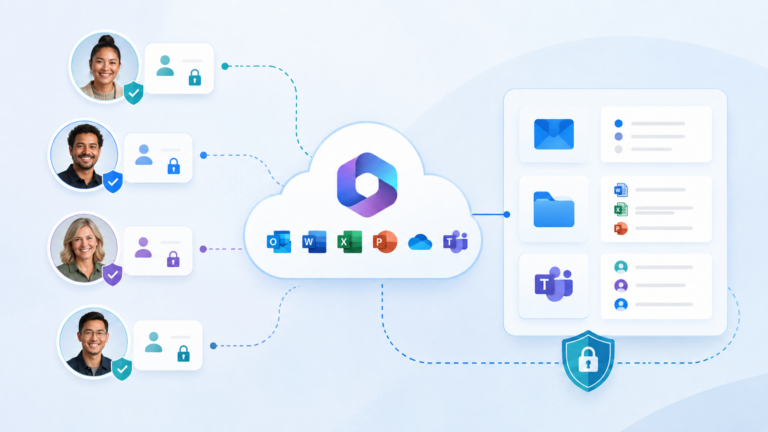
Microsoft 365 brings staff accounts, email, applications and company information into one connected system under the organisation’s control. It gives staff secure access from different devices while helping the business decide who can view, change and share its information. To keep these files organised, protected and easy to access, however, the business needs a clear approach to using OneDrive, SharePoint and Teams.
This article explains the role of each of these Microsoft services and how to build a file system your staff can understand and use confidently.
What do OneDrive, SharePoint and Teams actually do?
OneDrive, SharePoint and Teams all work together, but each one has a different role in managing business files.
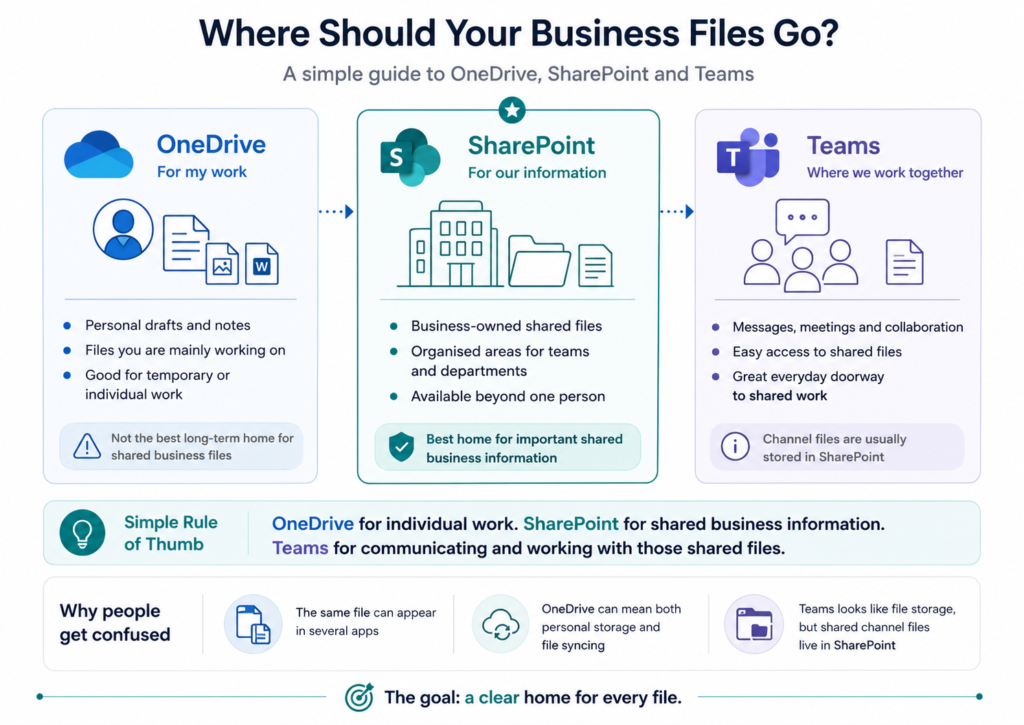
OneDrive gives each staff member their own online working space for drafts, notes and files they are mainly responsible for. SharePoint provides business-owned areas for documents that need to be shared, organised and available beyond one individual. Teams brings people, messages, meetings and shared SharePoint files together around the work they are doing.
A useful starting point is: OneDrive is for my work, SharePoint is for our information, and Teams is where we work together with it.
Why do OneDrive, SharePoint and Teams often confuse users?
Confusion arises because these services are closely connected, so the same file can appear through several different Microsoft applications.
A document stored in SharePoint may also appear inside Teams, in File Explorer, through OneDrive or in Word’s recent-files list, making it look as though several copies exist. The name “OneDrive” can describe both a person’s own file storage and the application used to bring files onto their computer, including shared SharePoint libraries. Teams adds another layer because it appears to be a file-storage location, even though files used in its channels are stored in the connected SharePoint site.
Most confusion comes from the way these services overlap and connect, especially when their different roles have not been clearly explained to staff.
What simple file-storage rules and principles should a small business follow?
For a small business, the goal is simple: give each type of file a clear home and teach staff a few consistent rules for saving, finding and sharing information.
Individual drafts and temporary working files can remain in OneDrive, while documents the business relies on should be stored in an appropriate SharePoint area. Teams can then provide the everyday workspace for groups that communicate, meet and work with those shared files together. Shared areas should reflect recognisable parts of the business—such as management, accounts and customer work—with clear ownership, sensible permissions and examples showing staff where common files belong.
The aim is a file system where people know what belongs to them—usually in OneDrive—what belongs to the business—usually in SharePoint—and where to go when they need to work with others—often Teams.
A clear home for every file
Staff need a simple understanding of the system: OneDrive provides individual working space, SharePoint provides the business-owned home for shared information, and Teams brings people, communication and shared files together around the work they do. EMbarks can review or set up this structure and provide one-to-one or group training, particularly for businesses wanting to use Teams and SharePoint more confidently. For many small businesses, encouraging staff to use OneDrive for individual work and Teams as the everyday doorway to shared SharePoint files can make information easier to find, discuss and use together.